





Unity crash reporting

A player's Unity build crashed. You still have to fix it.

The BugSplat Unity SDK 5.0 reports native crashes, hangs, and C# exceptions from IL2CPP and Mono builds on desktop, mobile, and gaming consoles. On Windows, macOS, iOS, and Android, an IL2CPP crash comes back with the C# file and line that failed.

Why BugSplat for Unity

BugSplat reports native crashes, hangs, and C# exceptions from your Unity game in one dashboard, and shows IL2CPP crashes at your C# file and line.

01 · It lands

Something breaks in your Unity build. You find out first.

The BugSplat Unity SDK 5.0 starts before your first scene loads, so a crash during loading is reported too. You set it up once in Edit > Project Settings > BugSplat. Native crashes are reported on Windows, macOS, iOS, and Android from IL2CPP and Mono builds, and hangs on Windows, macOS, and iOS, with ANRs on Android. On Windows, Windows Error Reporting support captures the stack buffer overruns and heap corruption that skip every crash handler inside a game, and a crash dialog you can theme to match your game asks players what they were doing. C# exceptions arrive too, including the ones thrown on background threads and in tasks nothing awaits, and players can send you feedback when nothing has crashed.

  • Native crashes, hangs, and C# exceptions in one dashboard
  • A Windows crash dialog you can theme to match your game
  • Desktop, mobile, and gaming console Unity builds in one dashboard
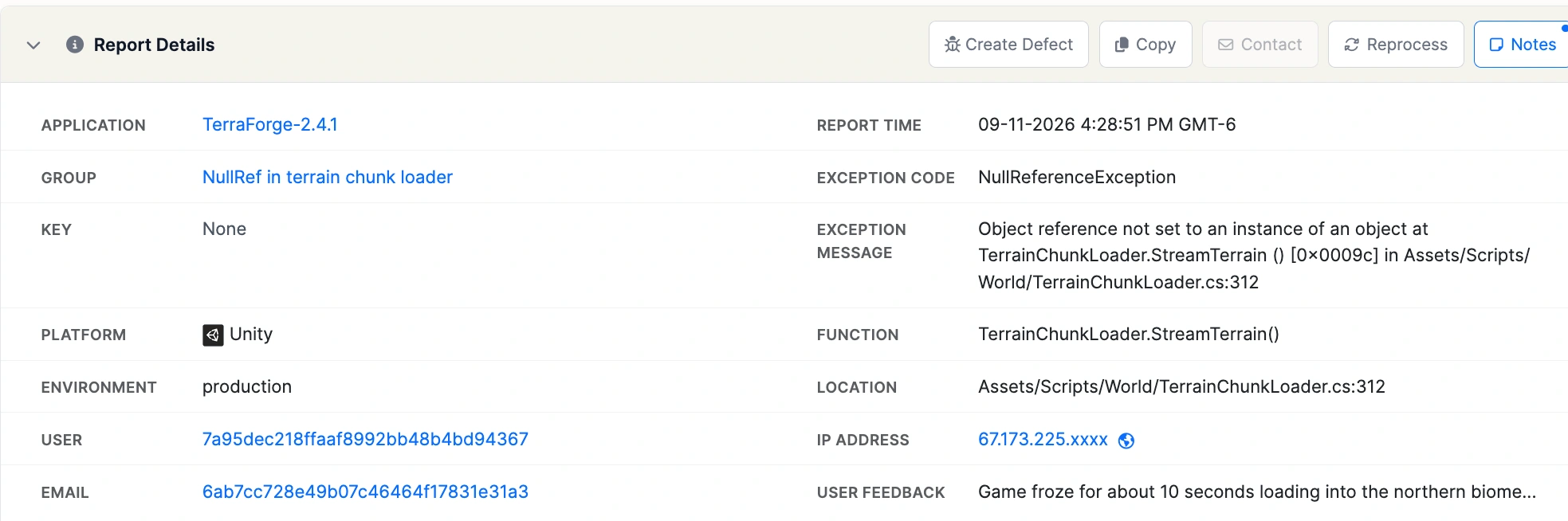
A crash report in BugSplat with application, group, exception, platform, and the user's feedback - how Unity crashes arrive

02 · It groups and resolves

A report count is not a bug count.

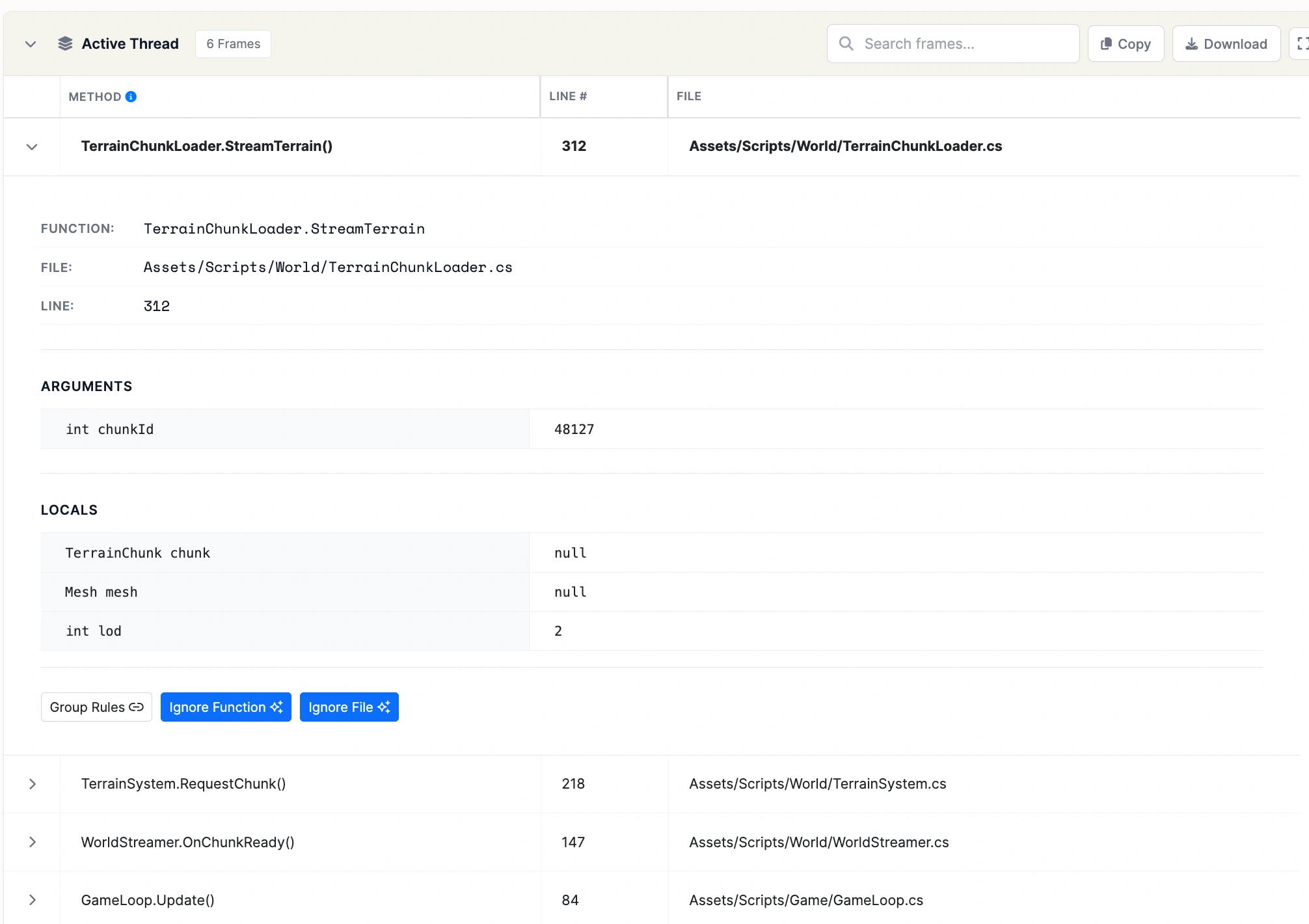
BugSplat groups Unity crashes your way: your rules decide which call stacks count as the same bug, and the list is ranked by how many people each one hit. With Player Settings > Other Settings > IL2CPP Stacktrace Information set to Method Name, File Name, and Line Number, and your build's symbols and LineNumberMappings.json uploaded, IL2CPP crashes on Windows, macOS, iOS, and Android map generated C++ frames back to C# methods, files, and lines. C# exceptions keep their full stack trace.

  • Thousands of reports collapse into a short list of distinct bugs
  • Function names and line numbers, not memory addresses
  • OS, hardware, and build on every report
A symbolicated active thread in BugSplat with the faulting frame expanded to its file, line, arguments, and locals

03 · It tells you

Stay ahead of the next one.

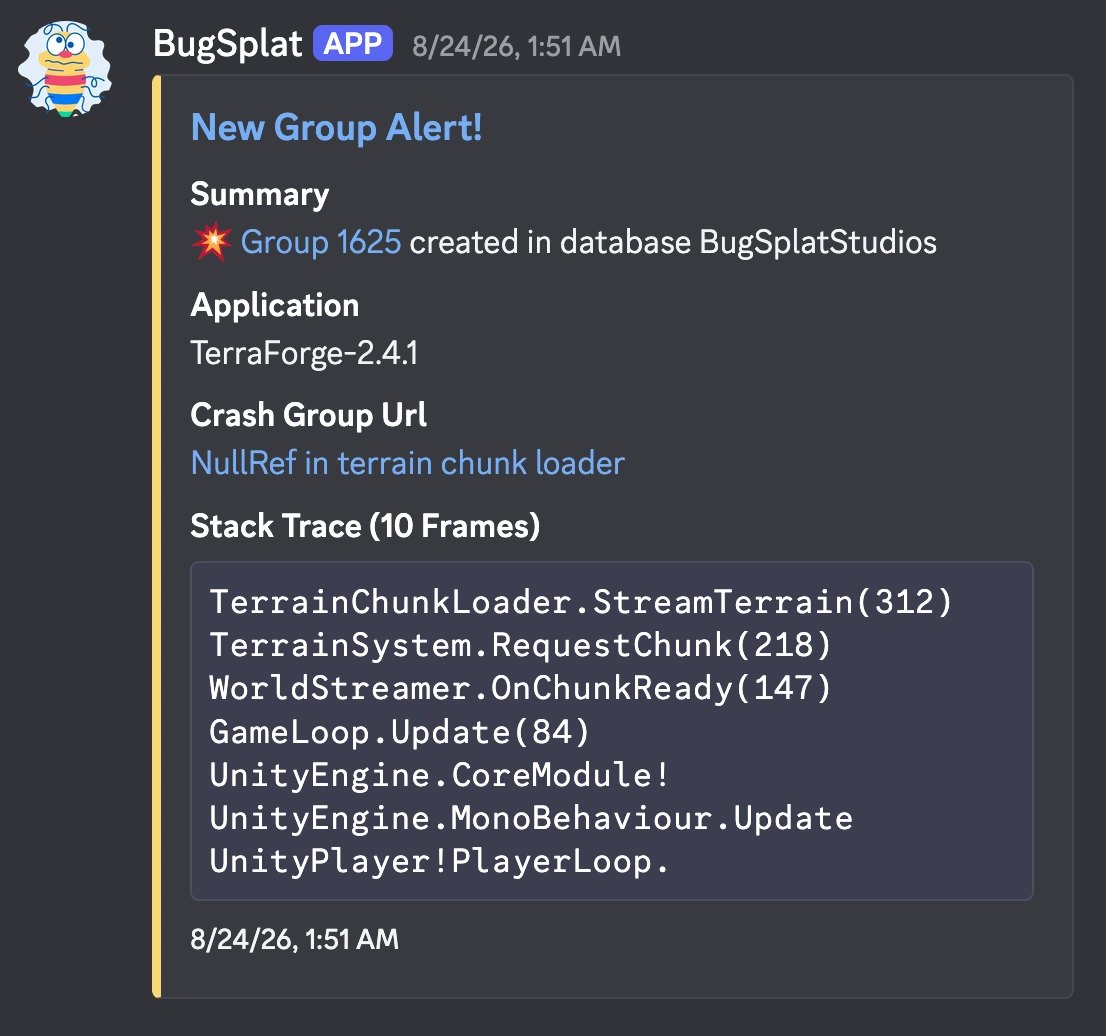
Alerts for Unity crashes reach Slack, Discord, or Teams the moment something spikes. Version-over-version analytics show whether each release is more stable than the last.

  • Regressions flagged when a fixed crash comes back
  • Daily and weekly digests with the highlights
A BugSplat new group alert in Discord with the crash group and stack trace

What makes BugSplat different

Crash reporting built for native code.

The part of Unity crash reporting that's hard is the part we've always done.

Native from the start

BugSplat has been turning minidumps into readable stacks since 2005. Symbols, PDBs, and native crashes are the core of the product.

A bill that holds still

Flat monthly plans with fixed limits. A spike in crash volume after a release doesn't change your bill.

Answered by the people who build it

Email support with a Unity question and you'll hear back from an engineer who builds BugSplat, usually the same day.

Unity setup

Wire up Unity and read a real stack the same day.

Add the SDK and upload symbols with each build. If you get stuck, contact support and you'll reach the engineers who build BugSplat.

By clicking "Accept", you agree to the storing of cookies on your device. View our Privacy Policy .